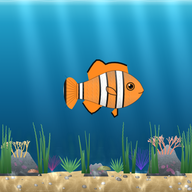
🐟 Classroom aquarium: a reward system that never takes points away
What this tool does: Turns your class list into an aquarium on the board: tap a fish to give that student a point (fish food) and fill a whole-class goal together.
Type your students’ names (or use the class list you already typed for the free printables) and open the aquarium on the board. Every student is a fish with their name. Tap a fish to give a point: food drops, the fish eats it and grows a little. 🍤 Whole class feeds everyone at once, and the bar at the top fills toward your class goal (for example “Friday extra recess”).
There is no minus button: points are never taken away, so no child is shamed in front of the class. Made a mistake? Undo removes the last feeding.
🔒 No account is needed. Names and points stay only in this board’s browser and are never sent to any server. To give points from your phone and keep the class safe when the board changes, open a free teacher account in the app.
How to use it
- Type one student name per line, or press “Use my class list”.
- Name a class goal and choose how much fish food reaches it (or leave it on Auto).
- Press Open the aquarium and Full screen.
- Tap a student’s fish (or name) to give a point; tap Whole class to reward everyone.
- Celebrate together when the goal bar fills up.
Frequently asked questions
Why a reward system that never takes points away?
Taking points away in front of classmates tends to shame children and hurts motivation. Positive-only systems reward what you want to see more of and keep every child in the game.
Do I need an account?
No. The aquarium works right away in the board’s browser. A free teacher account adds phone control and cloud saving, but it is optional.
Where are the names and points saved?
Only in this browser on this board (local storage). Clearing the browser data deletes them; nothing is sent to our server.
How many students can it show?
Up to 40 fish. With big classes the fish get a little smaller so that every name stays readable.
Does it work on an interactive whiteboard?
Yes. It runs in any modern browser on a smart board, a laptop connected to a projector or a tablet.
Read more: how to run a classroom reward system and the class fish tank guide.