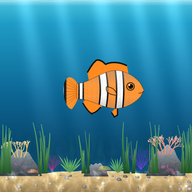
A live aquarium on the board
Every student's fish swims with their name. The moment you give a point, food drops for that fish and the whole class sees it.
Open a class fish tank on your board: every student's fish swims with their name. You give behavior points from your phone with one tap, food drops for that student's fish and their name is said out loud.
A behavior points app only works if you can use it without breaking the flow of the lesson. That's why classroom mode works with a single tap.
Every student's fish swims with their name. The moment you give a point, food drops for that fish and the whole class sees it.
Tap the student, then the behavior. No walking to the board, no menus on the computer.
The student who earns a point hears their name. Recognition is instant and in front of the whole class.
A ready-made list is included; change names and points to fit your class and add your own.
When the class reaches a shared goal, one tap feeds every fish.
Only a first name or nickname. No student accounts, emails or phone numbers.
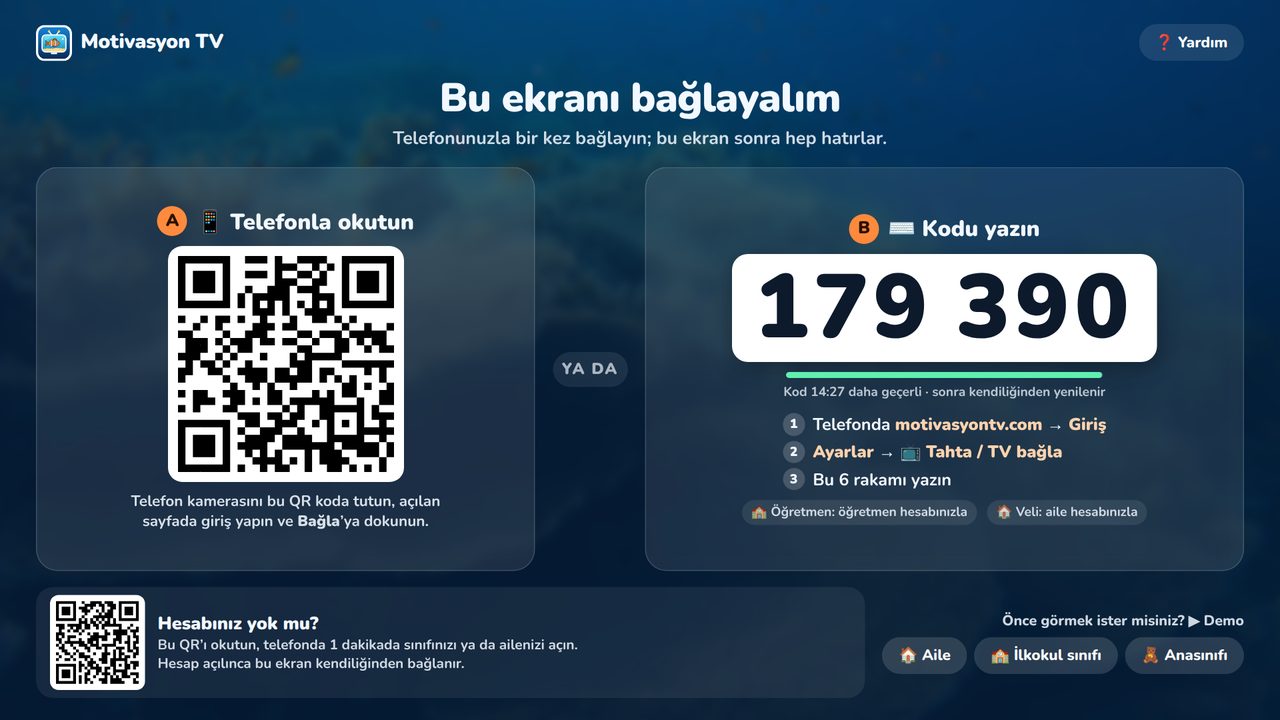
You don't need to install anything on the board. All you need is the board's browser and your own phone.
On the sign-up screen, choose Teacher as the account type.
Create your class and add up to 40 students by first name or nickname.
Open motivasyontv.com/tahta in the board's browser and enter the 6-digit code on your phone.
During class, tap a student and a behavior. Food drops for the fish and their name is said out loud.
The list below comes ready in the app; you can change the names, icons and points and add new ones. It works best with a short, concrete list so students know in advance what earns a point.
| Behavior | Points |
|---|---|
| Turned in homework | +5 |
| Participated in class | +5 |
| Helped a classmate | +10 |
| Kept desk tidy | +5 |
| Worked quietly | +5 |
| Was kind | +5 |
| Read a book | +10 |
| Asked a great question | +5 |
| Whole class (e.g. lined up quietly) | everyone |
For point values and reward systems without punishment, read how to set up a classroom reward system. New to the idea? See what a class fish tank is.
Teaching preschool or kindergarten? For ages 4–6, preschool mode uses a pom-pom jar, a visual schedule and tap-to-check-in attendance instead of points.
The class aquarium runs as a web page. Any big screen with a browser will do.
Opens in the board's own browser on Android-based and other interactive panels. If the browser is very old, use a computer connected to the board.
Any smart TV browser works; on Android TV and Google TV there is also an app you control with the remote.
Windows, macOS, ChromeOS or Linux: open motivasyontv.com/tahta in an up-to-date browser.
Languages: the app works in English, Turkish and Azerbaijani; you pick the language in the app. Some learning content (Turkish phonics games and the curriculum-based Sea of Knowledge questions) is Turkish-only for now.
Only the teacher creates an account. Students are entered by first name or nickname; you can use just a first name or a fun nickname if you prefer.
Yes. Classroom mode is free and has no ads.
Up to 40 students per class. Each student gets their own fish that swims in the aquarium with their name.
No. Only the teacher creates an account. Students are added by first name or nickname; no email, phone number or other details are asked for.
Yes. The class aquarium runs as a web page, so nothing needs to be installed. Open motivasyontv.com/tahta in the board's browser and enter the code. If the board's browser is very old, open it from a computer connected to the board.
Yes. You can edit the names and point values of the ready-made behaviors and add new ones that fit your class.
Yes. With the “Whole class” reward, one tap feeds every student's fish.
Android phones and iPhone. On iPhone, open the site in Safari and add it to your home screen.
Create a teacher account, add your students and enter the code on the board. Free, ad-free, no student emails.