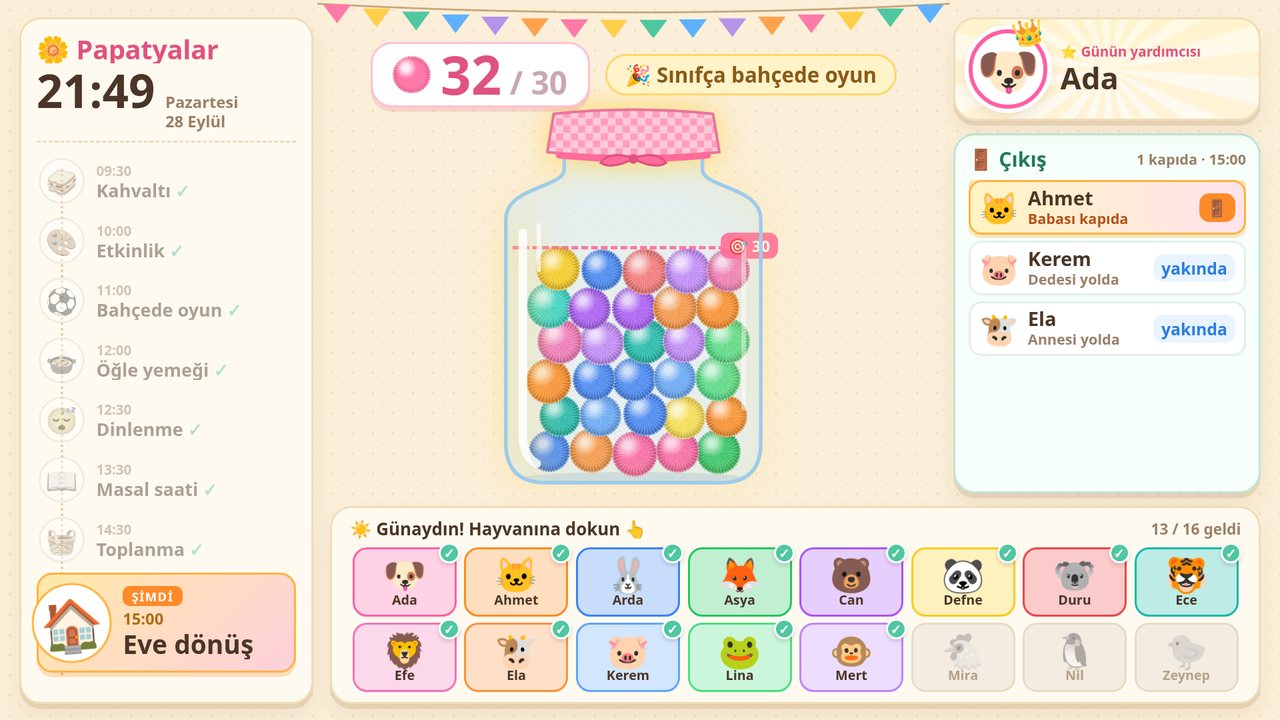
Pom-pom jar
A colorful pom-pom drops into the jar for positive behavior. When the goal is reached, the class reward you set unlocks, like “Extra playground time”. No individual ranking; the class wins together.
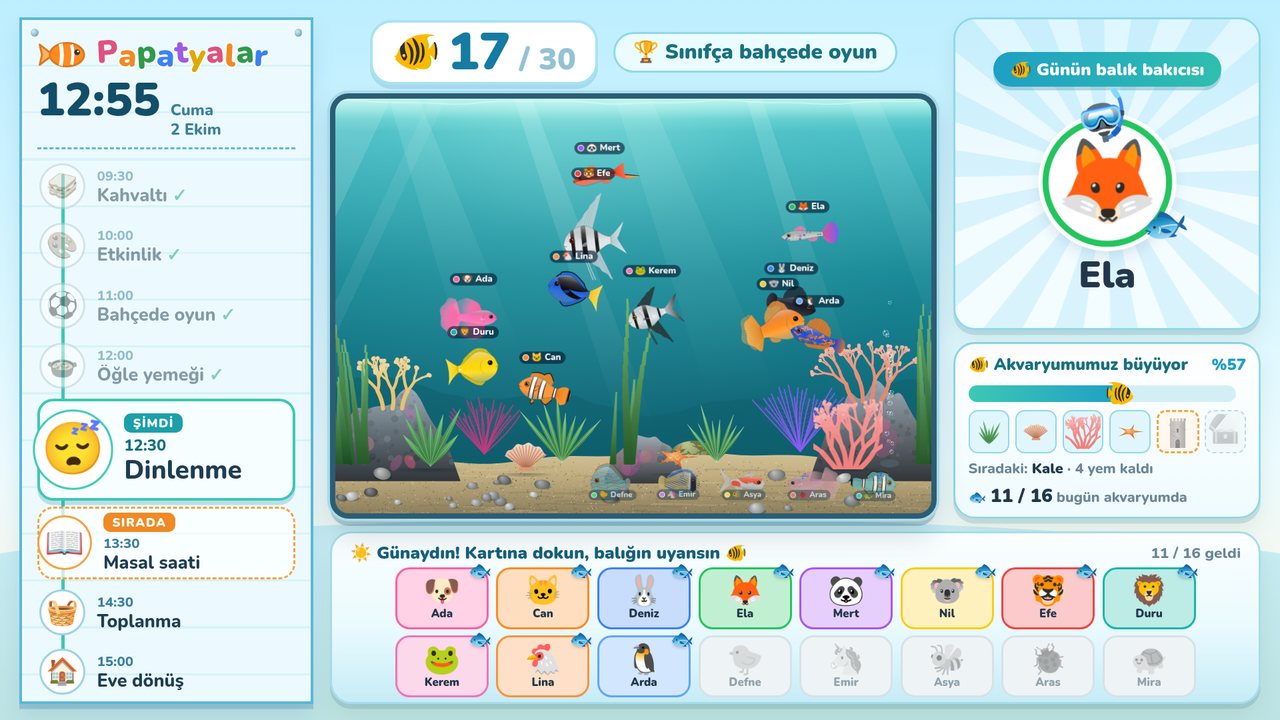
Pom-pom jar, visual daily schedule, transition timer, helper of the day and tap-to-check-in attendance on one screen. You run it from your phone, and children who can't read yet still understand it.
For 4–6 year olds, classroom management gets easier with a day that is visible and predictable. A visual schedule answers “what are we doing now, what's next?” without reading; a transition timer makes clean-up and hand-washing transitions less of a negotiation. A shared goal like a pom-pom jar gets children working together instead of competing; when the jar is full, the whole class earns a reward. When the helper of the day is chosen fairly, every child gets a turn. Motivasyon TV preschool mode puts all of this on one smart board screen, and the teacher runs it from a phone.
Each one works with a single tap and doesn't interrupt the activity.
A colorful pom-pom drops into the jar for positive behavior. When the goal is reached, the class reward you set unlocks, like “Extra playground time”. No individual ranking; the class wins together.
Circle time, breakfast, activity, outdoor play, lunch, rest, story time, clean-up and home time in pictures. The screen shows “NOW” and “NEXT”; you edit the flow.
Start “Clean-up time 5 min”, “Hand washing 3 min”, “Tidy up” or “Quiet activity” from your phone. A big countdown and a short, cheerful tune on the board; a bell rings when time is up.
Chosen fairly, in turn, from the children present that day. Celebrated on the board with their name said out loud, so you don't need a paper helper chart.
Each child has an animal icon, so no reading is needed. The child taps their animal on the touch board and the screen says “Good morning, Ada!”. You can also mark attendance from your phone.
Pick from the ready-made behavior list or reward the whole class. Undo a wrong tap. No need to walk to the board.
The list below comes ready; you can rename items and add ones that fit your class. With young children it works best when the list is short and concrete and you talk together beforehand about what earns a pom-pom.
For older grades there is a points-based class aquarium: classroom mode for teachers.
The teacher picks a theme from the phone with one tap and the board changes in seconds. Same routine, different look.
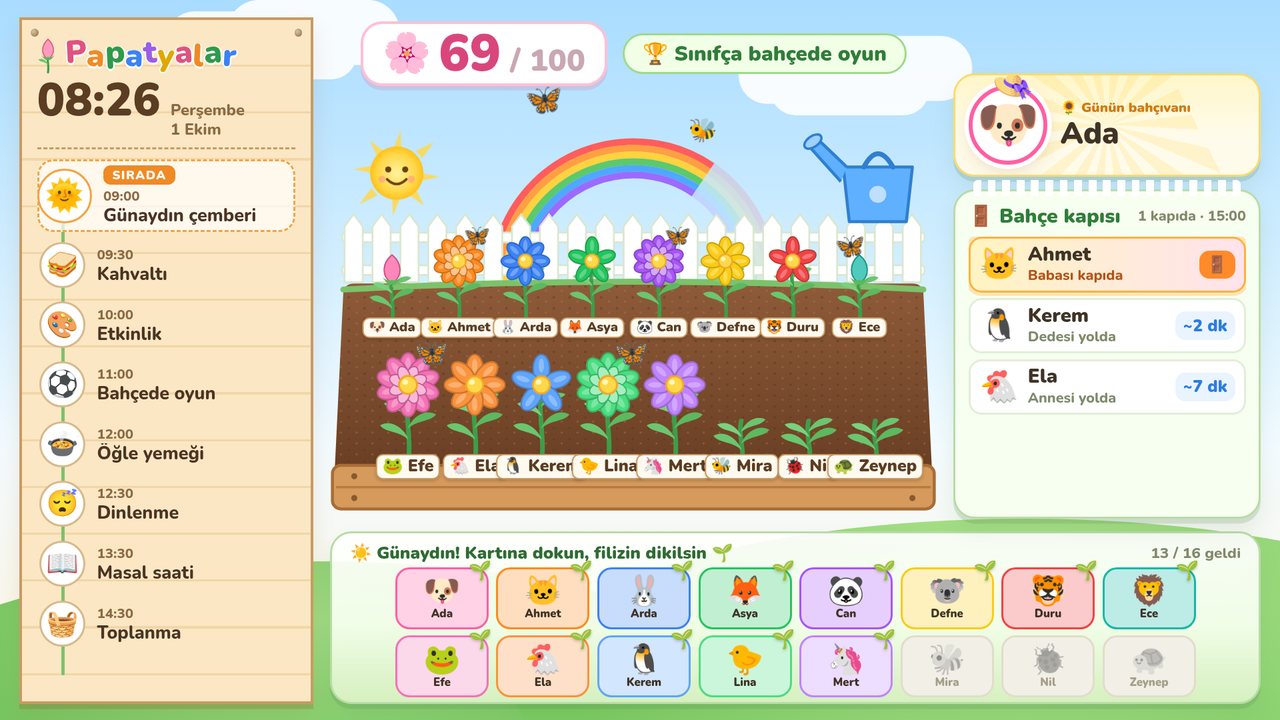
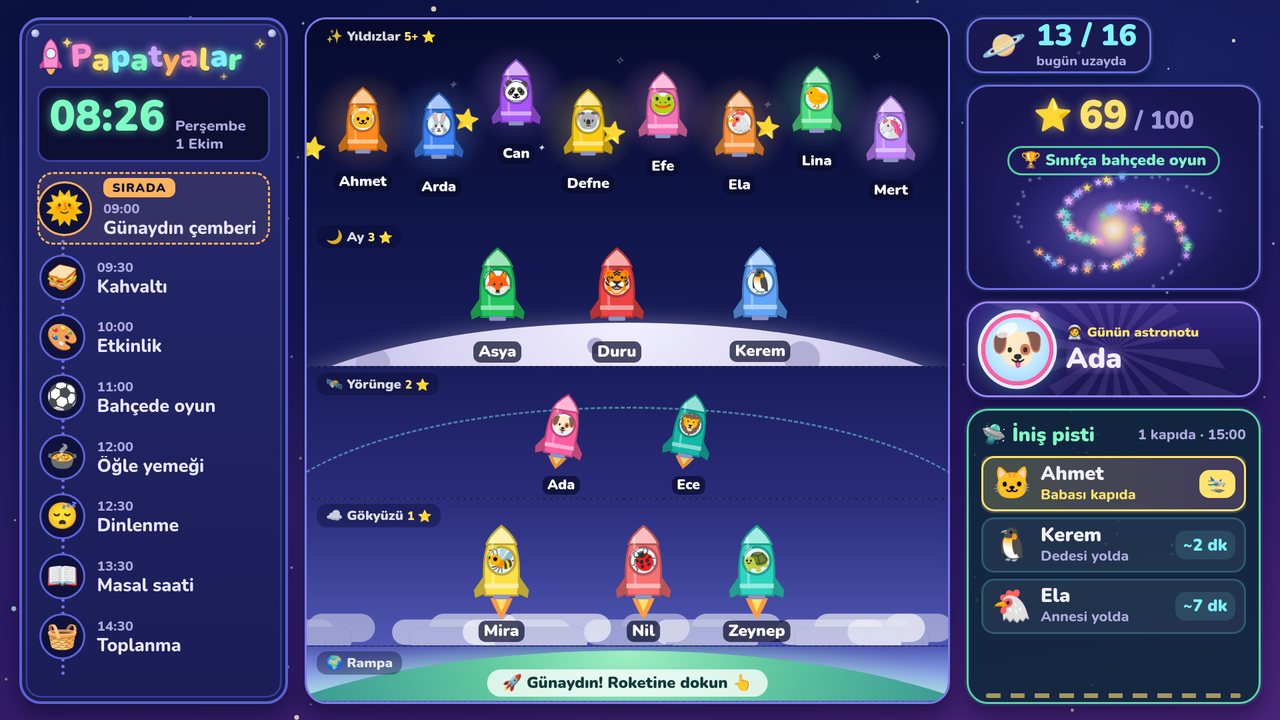
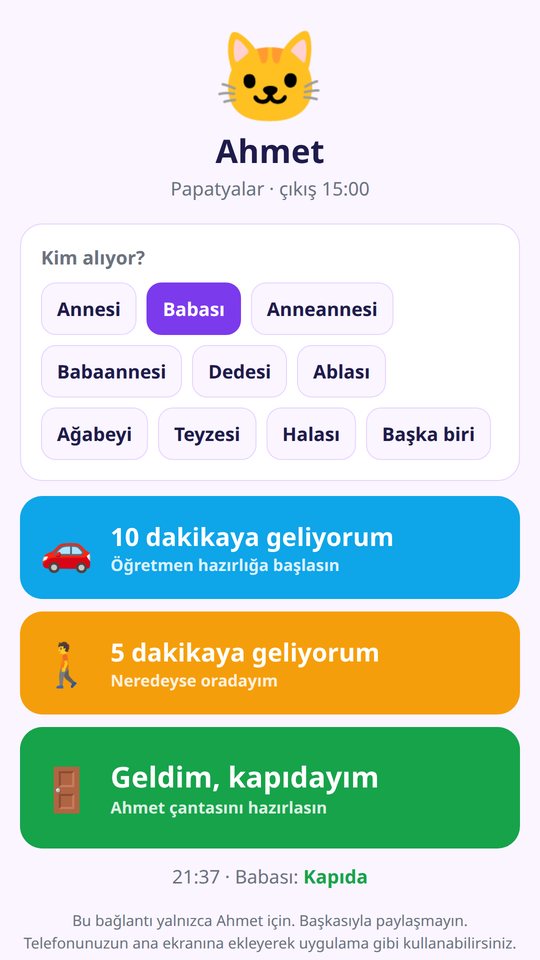
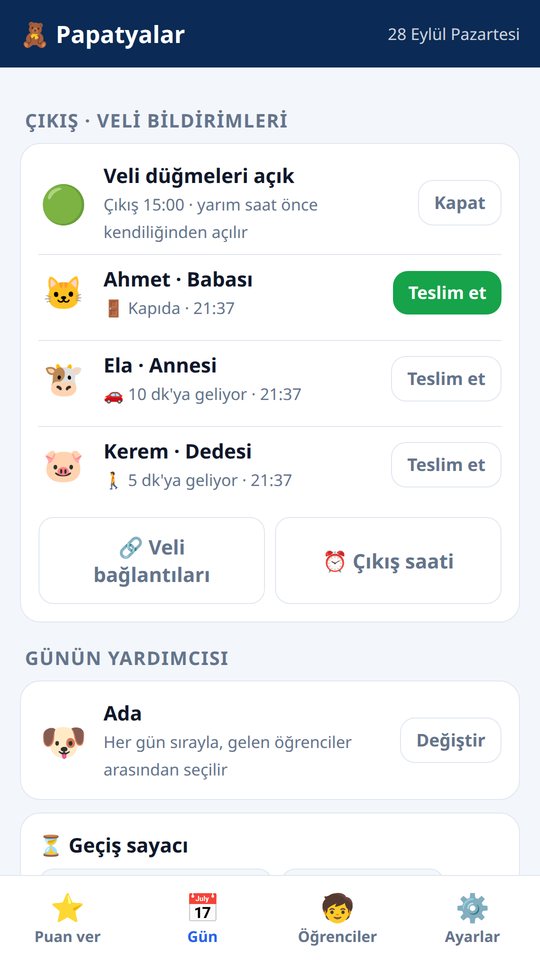
Handle pickup with one tap instead of phone calls at the door. Each child's family gets a private link; parents don't create an account or install an app.
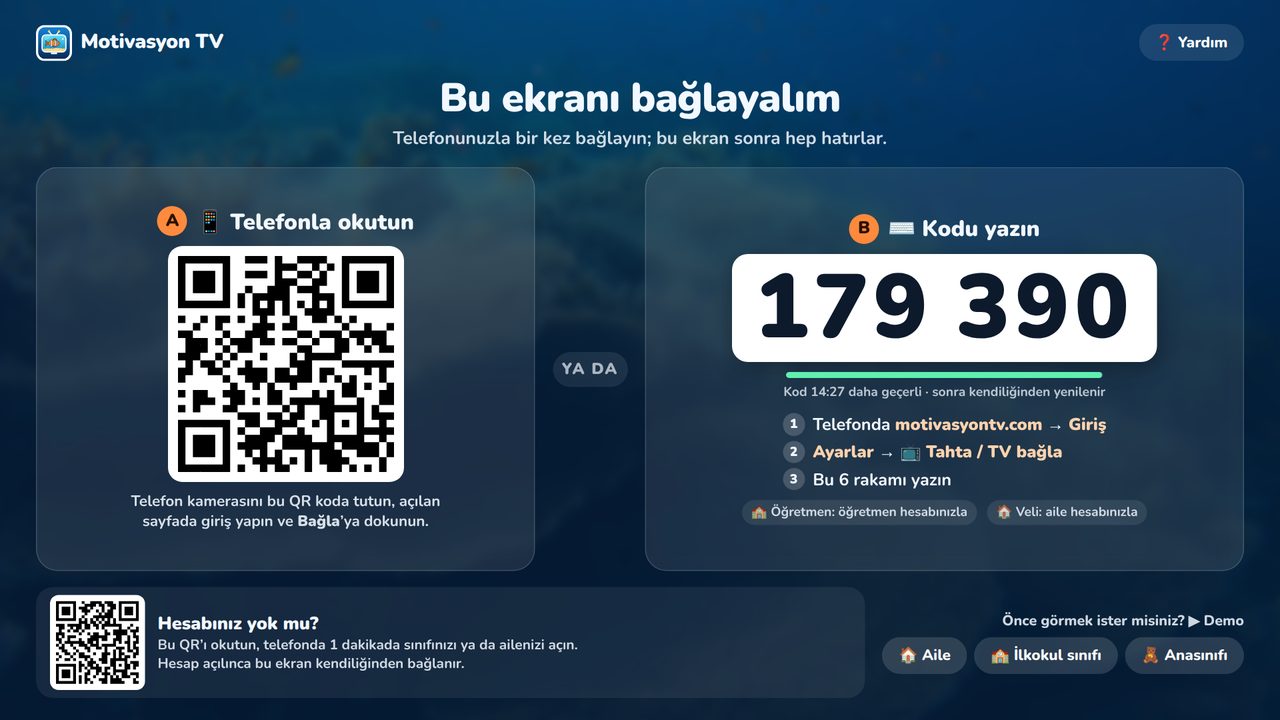
Nothing to install on the board. The board's browser and your own phone are enough.
On the sign-up screen, choose Preschool / kindergarten.
Add up to 40 children by first name or nickname. Each child gets an animal icon for check-in.
Open motivasyontv.com/tahta in the board's browser and enter the 6-digit code on your phone.
Give pom-poms, start the transition timer, and manage the schedule and attendance from your phone.
The times below are only an example. You set the schedule on the board to match your program; the current activity shows as “NOW” and the next one as “NEXT”.
| Sample time | Activity | What happens on the board? |
|---|---|---|
| 8:30 | Arrival and morning check-in | Each child taps their animal and hears “Good morning”; the helper of the day is celebrated. |
| 9:00 | Circle time | The schedule shows “NOW: Circle time”, “NEXT: Breakfast”. |
| 9:30 | Breakfast | A “Hand washing 3 min” timer first. |
| 10:00 | Activity time | Pom-poms for sharing and waiting for a turn. |
| 11:00 | Outdoor play | “Clean-up time 5 min” before going out. |
| 12:00 | Lunch | A “Finished lunch” pom-pom. |
| 12:45 | Rest time | A “Quiet activity” timer. |
| 2:00 | Story time | A “Listened well” pom-pom. |
| 2:45 | Clean-up | A “Tidy up” timer; if the jar is full, the class reward unlocks. |
| 3:00 | Home time | End of the day. |
The board screen runs as a web page. Any big screen with a browser will do. For game ideas, see smart board games for preschool and kindergarten.
Children tap their own animals at morning check-in. If the board's browser is very old, use a connected computer.
On a non-touch screen you mark attendance from your phone; the jar, schedule and timer work just the same.
Open motivasyontv.com/tahta in an up-to-date browser and enter the 6-digit code.
Languages: the app works in English, Turkish and Azerbaijani; you pick the language in the app. Some learning content (Turkish phonics games and the curriculum-based Sea of Knowledge questions) is Turkish-only for now.
The teacher creates the account. Children are added by first name or nickname; check-in uses an animal icon instead of a photo.
Yes. Preschool and kindergarten mode is free and has no ads.
A whole-class reward system that shows the class working toward a goal together. When the teacher taps a positive behavior, a pom-pom drops into the jar on the board; when the jar is full, the class reward the teacher chose unlocks, for example “Extra playground time”. There is no individual ranking.
No. The daily schedule uses pictures, each child taps their own animal icon to check in, and names are said out loud.
Only a first name or nickname. No email, photo or other details; the teacher creates the account.
Fairly, in turn, from the children who are present that day. The helper is celebrated on the board and their name is said out loud.
You can undo any tap from your phone.
No. The board screen runs as a web page; open motivasyontv.com/tahta in the board's browser and enter the 6-digit code.
The teacher shares a private link for each child with the family (by message app or email); parents don't create an account. On weekdays the buttons open 30 minutes before pickup time; the parent chooses who is picking up and taps “10 minutes away”, “5 minutes away” or “I'm here at the door”. The teacher gets a notification, and when the parent is at the door the board tells the child out loud.
The teacher renews the link with one tap and the old link stops working.
Create a preschool account, add the children and enter the code on the board. Free, ad-free, no photos or emails.