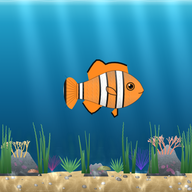
Kids pick their first fish
Your child chooses a first fish from 14 kinds; the first pick is free. It swims in the aquarium with their name.
When kids brush their teeth, tidy their room or finish homework, their own fish is fed and grows in a live aquarium on the TV. The same aquarium works in the classroom on the smart board: the teacher gives points from a phone and the student's fish gets its food.
Reminding wears everyone out, and kids start tuning it out. Motivasyon TV turns the routine into a game your child can see: every finished task drops food for their fish on the TV. You remind less, they take on more.
Instead of reminders: task → approval → fish is fed → the aquarium grows.
Setup takes a few minutes. The TV connects to your account with a 6-digit code you enter on your phone.
A parent creates a free account on the phone and adds a child. An age-appropriate chore list is added automatically; you can change all of it.
When a task is done, the child picks it on the TV aquarium with the remote and presses “I did it!”.
You approve the request on your phone with one tap. Food drops for the fish, your child earns pearls and hears a spoken “well done”.
Every child has their own fish in the aquarium. How full the fish is shows that day's tasks, so everyone can see where they are without anyone nagging.
Your child chooses a first fish from 14 kinds; the first pick is free. It swims in the aquarium with their name.
With the pearls they earn, kids can rent 12 realistic fish for 1 or 7 days or keep them. There are decorations like coral, a shipwreck and a treasure chest, plus accessories like crowns and glasses.
If tasks slip, the fish only gets hungry and recovers as soon as a task is done. The fish never dies and no points are taken away.
When a child keeps up their tasks, their fish grows and baby fish join the aquarium. Progress you can see.
Every approved task comes with a spoken “well done”, so little ones who can't read yet can follow along too.
After 9:30 pm the aquarium lights dim and the fish go to sleep, a gentle bedtime reminder.
Brushing teeth, making the bed, going to school, homework, reading, tidying toys, going to bed on time… A list that fits your child's age is added for you; school tasks aren't added for kids under 6. You decide the tasks, the days and how many pearls each one earns.
In classroom mode a teacher creates a class of up to 60 students. On the smart board, classroom TV or a computer browser, every student's fish swims with their name. You give behavior points from your phone with one tap; food drops for that student's fish and their name is said out loud.
The teacher shares a class code with families. At home the child practices on the TV, and the teacher can see which topics were practiced and where the class struggled.
The board shows how many days each student practiced, never how many answers they got wrong. Nobody is shamed in a ranking; effort is what gets celebrated.
The “Practicing at home” screen lists the days and topics students practiced this week and the topics the class found hardest.
The class splits into two teams and answers 10 questions in turns. Teams collect stars together.
If both parents agree, two friends' fish swim in each other's aquariums; when a buddy finishes a task, their fish gets food too. There is no messaging.
Good to know: the Sea of Knowledge practice questions and the board quiz follow the Turkish primary curriculum and are currently in Turkish.
Screens designed for kids who are still too young for a chore list, from the same account.
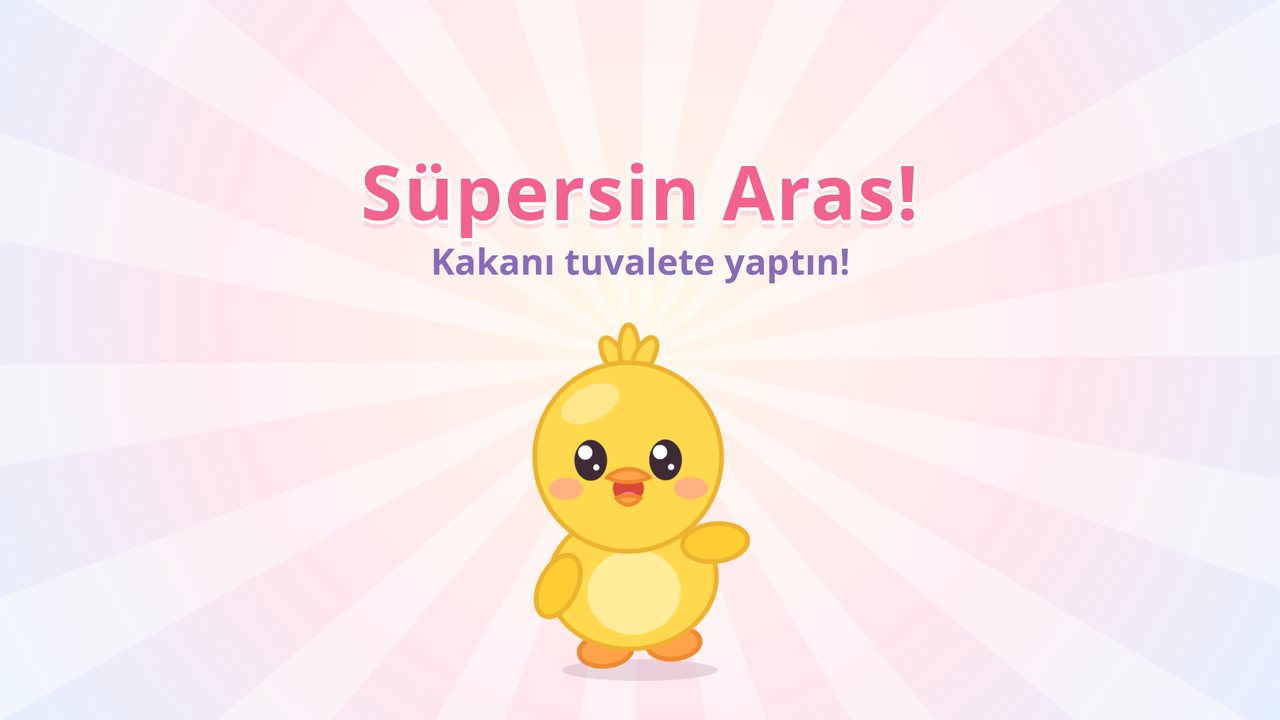
When your child uses the potty, one tap on your phone or the TV remote moves the train one stop along the track on the TV, your child picks a sticker and hears their name. At the final stop the reward you chose unlocks. Accidents are never punished.
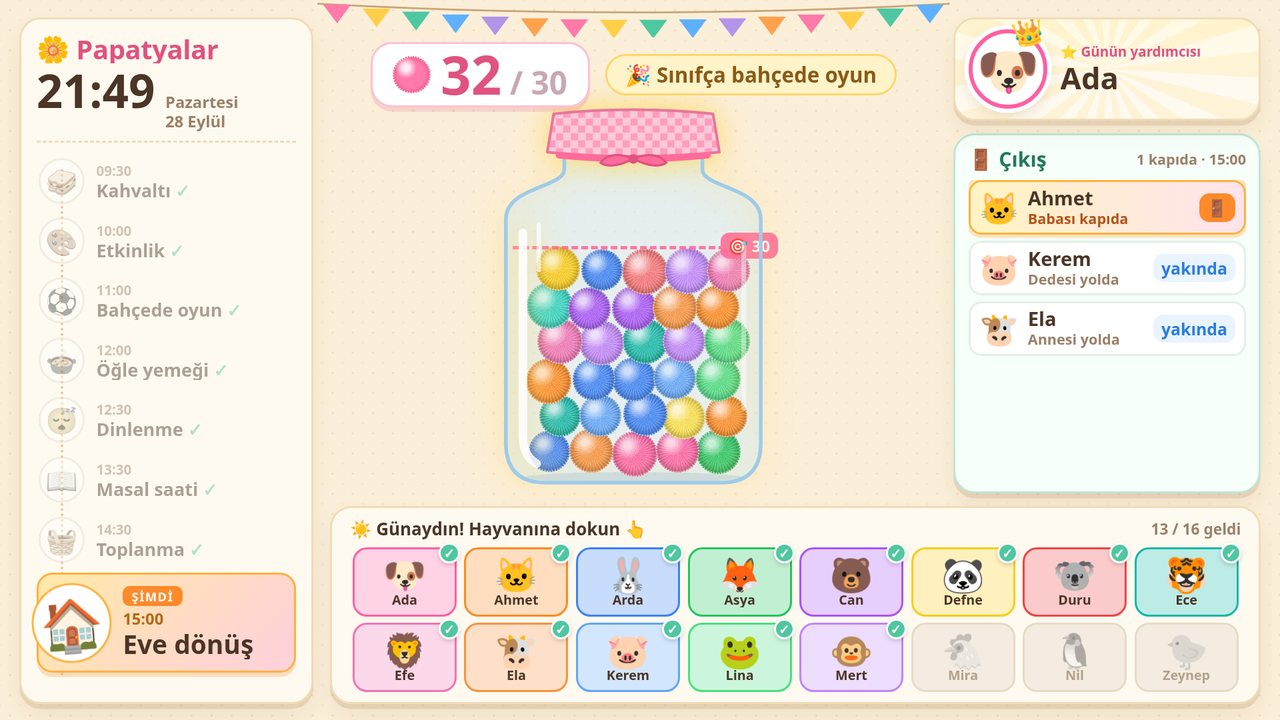
A pom-pom jar, flower garden, space or aquarium theme on the smart board; a visual schedule, transition timer, helper of the day and tap-to-check-in attendance. When the room gets too loud, the flowers cover their ears (noise meter). The teacher runs it all from a phone.
Finger drawing on the smart board: 8 levels of pre-writing tracing lines, number tracing 0–9 in the correct stroke order (when a number is finished, that many objects appear and are counted), dot-to-dot, coloring pages, mirror drawing and mandalas. Several kids can draw at once; no scores, just praise.
Enter a student's birthday as just a day and month. The teacher gets a reminder the day before, and on the day a surprise celebration starts on the board: a party hat and balloons for the fish, a giant flower in the garden, a rocket with fireworks in the space theme. Weekend birthdays are celebrated on Friday.
Elementary teachers enter the weekly timetable once; the board shows today's lessons, the current and next lesson and breaks. Families connected to the class see a “Tomorrow” card in their panel. Preschool classes can set a different daily flow for each day.
Kids can see their aquarium on a parent's phone or their own tablet, tap “I did it!” and play learning games. The parent area is protected by a 4-digit PIN; approvals still go through the parent.
Original, black-and-white, ink-friendly pages you can print in seconds. Pick a level and a theme, press “New version” for a fresh variation, and print on US Letter or A4. No sign-up, no ads.
🖨 Browse all worksheets ⏱ Free classroom tools: noise meter, timer, name picker
The aquarium swims on the big screen; everything is managed from the phone.
Open motivasyontv.com/tv in the TV's web browser. On Android TV / Google TV there is also an app with remote control. TV setup
Parent and teacher panel; approvals and notifications on the phone. In child mode, the child's own aquarium and games.
Add the web app to your home screen from Safari and it works like an app; notifications on iOS 16.4 and later.
Open motivasyontv.com/tahta in the browser and enter the 6-digit code.
The Android TV app on Google Play is coming soon. You can already use everything in a browser today. Join the list and we will email you once when the app is on Google Play.
We only store your email address and role, only to tell you when the app launches on Google Play. We never collect children's data on this list. Privacy
Languages: the app works in English, Turkish and Azerbaijani; you pick the language in the app. Some learning content (Turkish phonics games and the curriculum-based Sea of Knowledge questions) is Turkish-only for now.
Only a parent or teacher can create an account. The app has no ads and no tracking, and children don't communicate with other people.
Yes. Family mode and classroom mode are free and there are no ads. The pearls children earn can't be bought with real money.
Any smart TV with a web browser: open motivasyontv.com/tv and enter the 6-digit code on your phone. On Android TV and Google TV there is also an app (Google Play release coming soon). On a smart board or computer, open motivasyontv.com/tahta. TV setup guide
Nothing bad. No points are taken away; the fish just gets hungry and perks up as soon as a task is done. The fish never dies.
No. Only the teacher creates an account and adds students by first name or nickname. No student email or other details are needed. Classroom mode
Yes. The parent panel, teacher panel, TV and board screens work in English, Turkish and Azerbaijani. Some learning content (Turkish phonics games and the curriculum-based Sea of Knowledge questions) is Turkish-only for now.
Sign up, add your child or your class, and enter the code on the screen. Free and ad-free.