Frequently asked questions
Setup, pricing, TV and smart board compatibility, classroom mode and privacy.
General
What is Motivasyon TV?
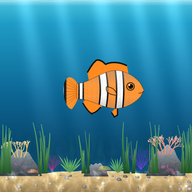
A free, ad-free app that turns kids' responsibilities at home and at school into a game. A live virtual aquarium swims on the TV or smart board and every child has their own fish. In family mode, the child says “I did it!” when a task is done, the parent approves on the phone, the fish is fed and the child earns pearls. In classroom mode, the teacher gives behavior points from a phone and food drops for the student's fish.
Is it free?
Yes. Motivasyon TV is free; there are no ads and no in-app purchases for families. The pearls children earn can't be bought with real money. Classroom mode is free too.
Which languages is it available in?
The app works in English, Turkish and Azerbaijani; each account picks its language and the TV and board follow it. Some learning content (Turkish phonics games and the curriculum-based Sea of Knowledge questions) is Turkish-only for now.
Which TVs does it work on?
Any smart TV with a web browser: open motivasyontv.com/tv and enter the 6-digit code on your phone. On Android TV and Google TV you can also use the app with the remote (Google Play release coming soon). On a smart board or computer, open motivasyontv.com/tahta. TV setup guide
Can I use it on an iPhone?
Yes. Open the parent or teacher panel in Safari and add it to your home screen to use it like an app; notifications work on iOS 16.4 and later.
How do I connect the TV?
When you open the aquarium on the TV, a 6-digit code and a QR code appear. Enter the code under Settings → Connect TV on your phone, or scan the QR code.
Families
What happens if a task isn't done?
There is no punishment and no points are taken away. The child's fish just gets hungry and a little pale, and recovers as soon as a task is done. The fish never dies.
What ages is it for?
It's designed for roughly ages 4–12. For little ones who can't read yet, tasks show icons and praise is spoken; school tasks aren't added automatically for kids under 6. Chore chart ideas by age
Can I add more than one child?
Yes. Each child has their own fish, task list and points; siblings share the same TV.
Can I set the tasks myself?
Yes. Edit the ready-made tasks or add your own, and choose which days each task applies to, whether it's a morning or evening task and how many pearls it earns.
What can kids get with pearls?
Kids can rent 12 realistic fish (koi, blue tang, discus, goldfish, angelfish, mandarin fish and more) for 1 or 7 days or keep them. There are decorations like coral, a shipwreck and a treasure chest, and accessories like crowns and glasses. Kids pick their first fish from 14 kinds for free.
Do the fish grow?
Yes. When a child does their tasks on consecutive days, the fish grows and baby fish join the aquarium. After 9:30 pm the aquarium lights dim and the fish go to sleep.
Teachers and classroom mode
What is classroom mode?
A free classroom reward system for teachers. Every student's fish swims with their name on the smart board, classroom TV or a computer browser. You give behavior points from your phone with one tap; food drops for the student's fish and their name is said out loud. See classroom mode
How do I set up classroom mode?
Sign up and choose Teacher as the account type, add your students by first name or nickname, open motivasyontv.com/tahta in the board's browser and enter the 6-digit code on your phone. Then you can give points from your phone during class.
How many students can I add?
Up to 40 students per class.
Do students need accounts or emails?
No. Only the teacher creates an account; students are added by first name or nickname. No student email or other details are asked for.
Can I change the behaviors and points?
Yes. Ready-made behaviors like “Turned in homework +5” and “Helped a classmate +10” are included; edit their names and points or add new ones. The “Whole class” reward gives everyone a point with one tap. Classroom reward system guide
Does it work on interactive whiteboards?
Yes. The class aquarium runs as a web page, so nothing needs to be installed. Open motivasyontv.com/tahta in the board's browser. If the browser is very old, open it from a computer connected to the board.
Potty training and preschool
What is the potty training program?
A program for 2–4 year olds in a family account. There's no task list and no points. When your child uses the potty, you tap once on your phone; on the TV or phone screen a character dances, your child's name is said out loud and a new sticker goes into the album. When an album page is full, the real reward you wrote down unlocks.
What happens when there's an accident?
Accidents are never shown on any screen and are never punished. If you want, you can note them in your own parent chart, which shows what times of day they tend to happen.
What is preschool mode?
A free smart board screen for ages 4–6: pom-pom jar, visual daily schedule, transition timer, helper of the day and tap-to-check-in attendance. The teacher runs it from a phone; choose Preschool / kindergarten as the account type when signing up. See preschool mode
What information is needed about children in preschool mode?
Only a first name or nickname. No email or photo; at check-in each child taps their own animal icon instead of a photo. You can add up to 40 children per class.
How do parents let the preschool know they've arrived at pickup?
The teacher shares a private link for each child with the family; parents don't create an account. On weekdays, 30 minutes before pickup time, the parent chooses who is picking up and taps “10 minutes away”, “5 minutes away” or “I'm here at the door”. The teacher gets a notification, and when the parent is at the door the board tells the child out loud. Parent pickup alerts
Privacy and safety
Is my child's data safe?
Only a parent or teacher can create an account and no data is collected directly from children. There are no ads and no tracking; data is never sold or shared, connections are encrypted, and for spoken praise only the sentence to be read aloud is sent to the speech service. Privacy policy
How do I delete my account and data?
The account and all its data can be deleted instantly in the app. Delete your account
Have another question? Email us at [email protected].
Try it now
Create a free account; an aquarium for your child at home or your class at school is ready in minutes.